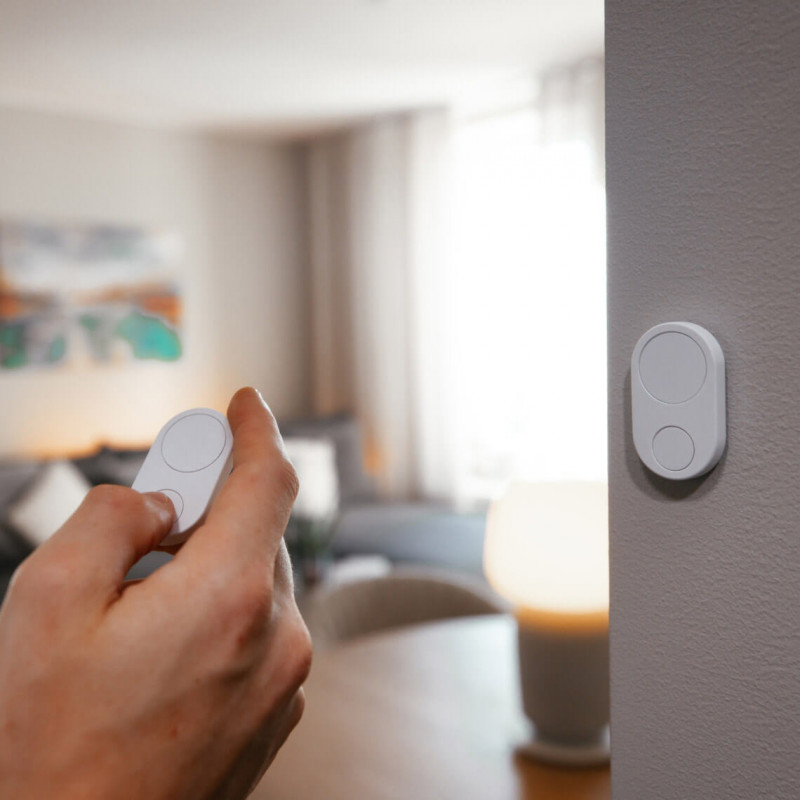

Flic sent me their Hub Mini and Flic Duo smart button to feature. All opinions are my own.
Smart home gadgets can sometimes feel overly complicated, but Flic takes a refreshingly simple approach – it’s literally just a button. Press it, and things happen. The concept is so straightforward that it almost seems too simple, but that’s exactly what makes it appealing. Sometimes you just want to turn off your lights or start your music without having to pull out your phone, open an app, and navigate through menus.
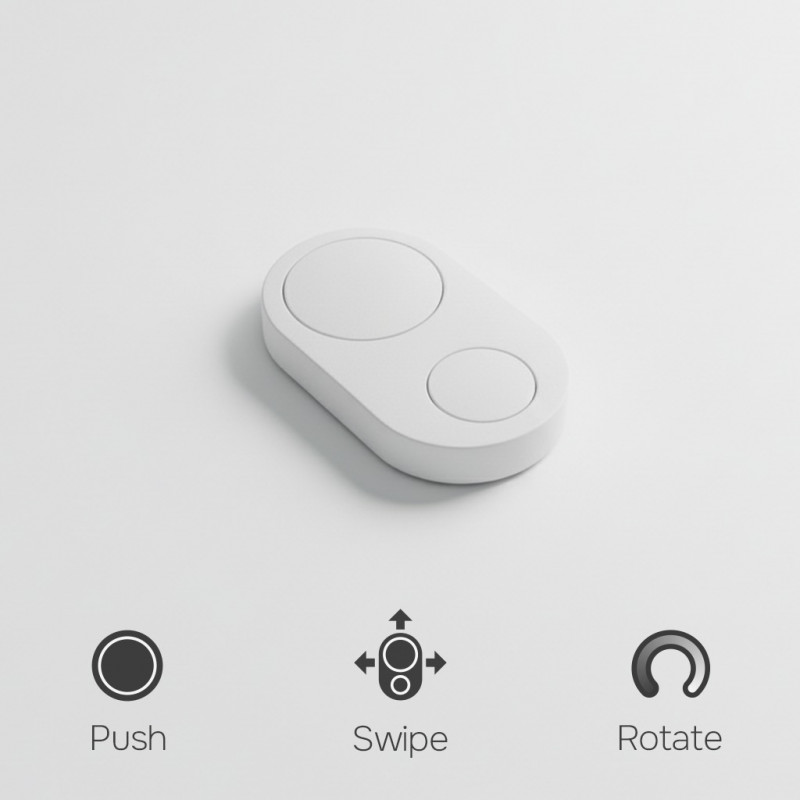
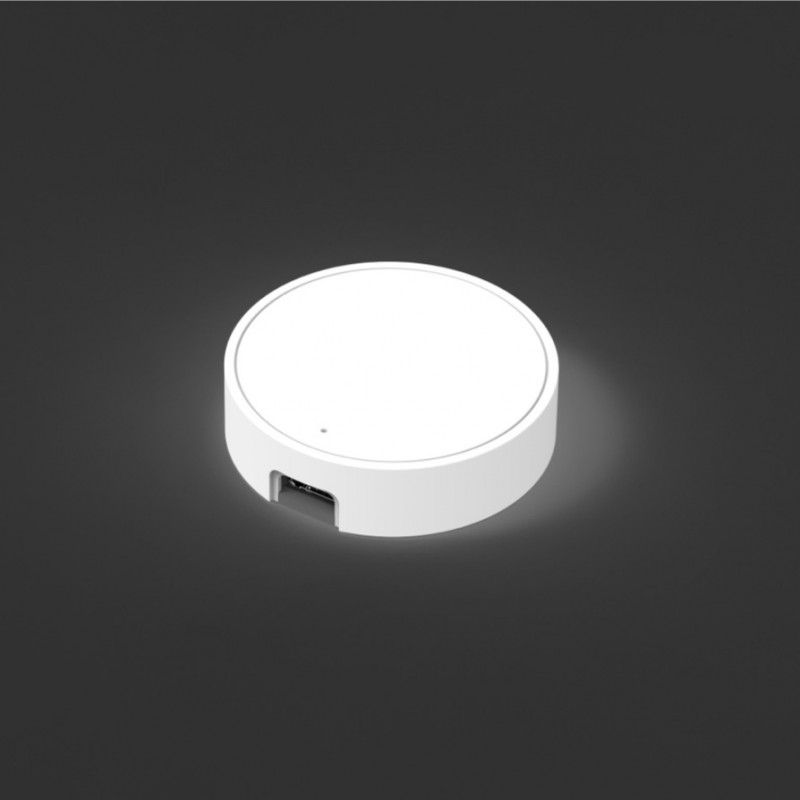
I received the Flic Hub Mini and a Flic Duo to check out as a potential holiday gift idea. The Hub Mini acts as the central connection point between your Flic buttons and your smart home devices, so you don’t have to rely on your phone being nearby or having the app running. The Flic Duo is the actual button – it’s called “Duo” because it has both a big button and a small button, giving you more options for different actions.
How It Works with Smart Home Devices
Since I have Nanoleaf smart lights and an Amazon Alexa speaker, I was particularly interested in how the Flic would work with devices I already own. The setup involves downloading the Flic app, connecting the Hub Mini to your WiFi, and then pairing your Flic buttons to the hub. Once that’s done, you can assign different actions to the various button presses.
For example, with Nanoleaf lights, you could set the big button to turn the lights on/off, the small button to change colors or scenes, and a double-push to dim the lights. Since it works with Alexa, you could also use a Flic button to trigger Alexa routines without having to say “Alexa” out loud – which is great for times when you don’t want to wake someone up or just prefer not to use voice commands.
The Flic Duo supports multiple triggers: big button push, small button push, double push, hold, twist, and even push & twist for real-time dimming. You can assign different actions to each of these triggers, and there’s no limit to how many actions can happen with a single trigger.
Practical Uses for Flic Buttons
One of the things that makes Flic interesting is how versatile it is. Here are some ways people use these smart buttons:
For Smart Home Control:
- Turn lights on/off or change scenes
- Control smart plugs for lamps or appliances
- Adjust thermostats
- Lock or unlock smart locks
- Control blinds or curtains
For Entertainment:
- Start music on Spotify or other streaming services
- Control TV, sound systems, or streaming devices (with optional IR accessory)
- Pause/play media
- Adjust volume
For Daily Convenience:
- Find your phone (makes it ring even if it’s on silent)
- Set timers or alarms
- Call or text specific contacts
- Start a specific app on your phone
For Productivity:
- Trigger IFTTT or Zapier automations
- Control work-from-home setups (mute/unmute, lights for video calls)
- Log time or activities
- Send pre-written messages or emails
For Safety and Accessibility:
- Emergency alerts to family members
- Medication reminders
- Easy access controls for people who struggle with apps or voice commands
The Hub Mini Advantage
The Hub Mini is what makes the whole system more reliable. Without it, you’d need to keep the Flic app running on your phone and stay within Bluetooth range (about 150 feet outdoors, less indoors depending on walls). With the Hub Mini, your Flic buttons connect directly to the hub, which stays plugged in and connected to your WiFi. This means your automations work consistently whether your phone is nearby or not.
You can stick Flic buttons anywhere with the included adhesive – on your nightstand, by the front door, on your desk, next to the couch. There’s also a metal clip accessory available if you want to wear it or add it to your keychain for portable control.
Who Would Appreciate This
This would make a thoughtful gift for anyone who’s already invested in smart home devices but wants easier control, people who prefer physical buttons over voice commands or apps, elderly family members or anyone with accessibility needs who would benefit from simplified smart home control, or tech enthusiasts who like automating their daily routines.
It’s also great for households where not everyone is comfortable with technology – giving grandma a simple button to turn on her lights is way more user-friendly than teaching her to use a smartphone app or voice assistant.
At the end of the day, Flic solves a real problem: even though we have all this smart home technology, sometimes it’s still easier to just press a physical button. If you’re shopping for someone who has smart home devices but you’ve noticed they still get up to flip light switches or fumble with their phone to control things, the Flic system might be exactly what would make their setup actually feel “smart” and convenient.


Related Posts:




Hi there! I am Emily Evert, the owner of Emily Reviews. I am 28 and live in a small town in Michigan with my boyfriend Ryan and our two pugs. I have a large family and I adore my nieces and nephews. I love reading memoirs, and learning about child development and psychology. I love watching The Game of Thrones, Teen Mom, Sister Wives and Veep. I like listening to Jason Isbell, John Prine, and other alt-country or Americana music. I created Emily Reviews as a creative outlet to share my life and the products that I love with others.
This post currently has 10 responses.
-
Kristie D.
This seems really great! I think something like this would have been good for my father-in-law. I also like that you can find your phone (makes it ring even if it’s on silent). Perfect for me!!
-
Donna
There are so many great ways to use this! It sounds easy to set up too. Would be nice to get for my son. I’d love to have this for myself too!
-
Barrie
I love this idea! There are times hubby is up later than me and wakes me up to tell Alexa to turn off the lights~!
-
Leela
That is pretty neat. My son would love it.
-
Regina
Those are a lot of features for such a small device. This would be a great gift for the tech lover!
-
Terri Shaw
This is fantastic! I have not heard of this button before. It can control so many things to make life a little easier.
-
This is fantastic! I have not heard of this button before. It can control so many things to make life a little easier.
-
Anne
Today, I happened to see your Facebook post about Flic, and I’m glad I did! I missed this post back when it was first published. Since then, my brother-in-law had a health issue, and the Flic Hub Mini and Duo Smart Button might be just the thing to help him ease back into his regular routine at home. We’re definitely going to look into it for him. Thanks!
-
Maria Egan
The simpler the better for me. Some technology is too complicated for me to learn at my age, so I like the idea of a one button control.




What a cool set up, I love that you don’t need an overly complicated app or remote to make it work! I am usually not a fan of super technical things, so I like how simple it is. And how you can set it to whatever it is that you would like to.